Choose a complete look
Six outfit directions with coordinated hair, accessories and makeup.
Six outfit directions with coordinated hair, accessories and makeup.
Choose from ten Chinese architectural settings and three lighting moods.
Choose a look and add a clear selfie. No prompt writing needed.
SELFIE → PORTRAIT
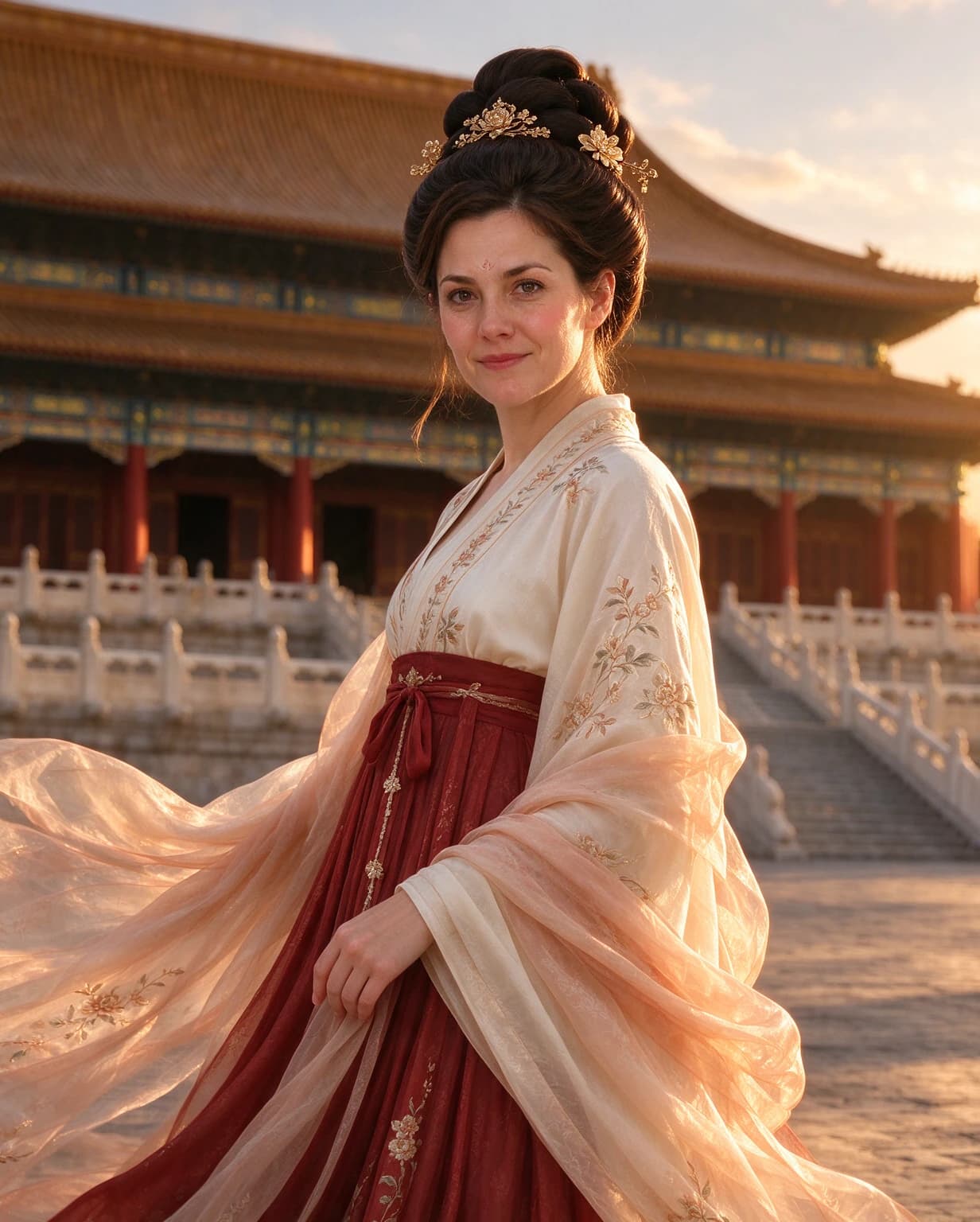
See an original photo beside an actual generated result. Your results and likeness may vary.
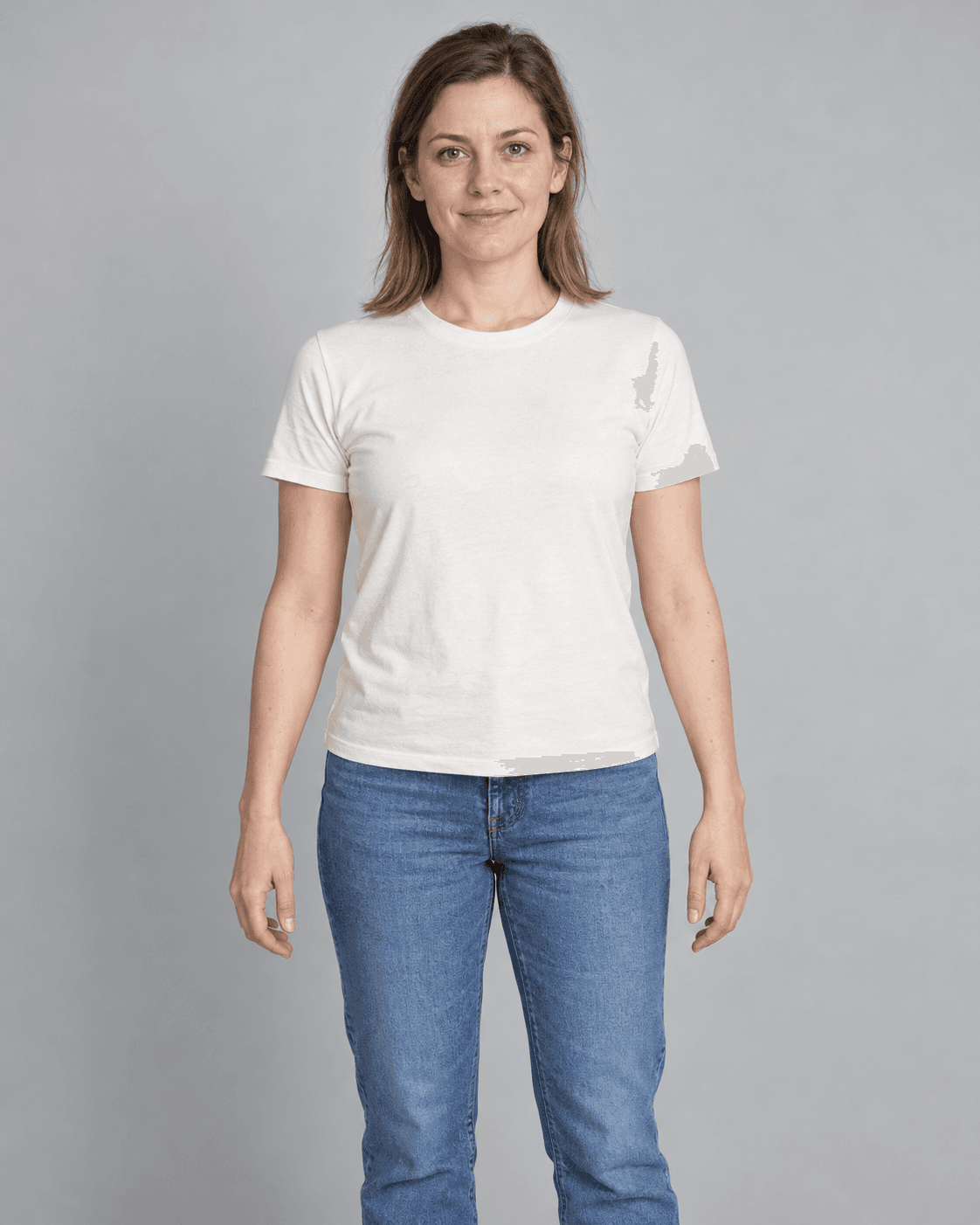
Forbidden City · Golden hour
Examples use an AI-created adult model. Your result will vary.
CREATE YOUR PORTRAIT
Add a selfie, then choose the outfit, setting and light.
Sign in to check your free trial eligibility. One watermarked preview per eligible account, up to 1280 px on the long edge. Checking your sign-in. Please wait before using the studio.
One clear adult solo photo. No glasses, hats, masks or scarves.
Your photo is checked on the silkpose server. It reaches our image provider only when you generate; provider policies apply.
Checking your sign-in. Please wait before using the studio.
Add a selfie and choose your look to create a portrait.
HOW IT WORKS
Choose a clear, front-facing photo of one adult. Your photo must pass the checks before generation.
Pick an outfit direction, a setting and a lighting mood.
Generate one portrait, compare it with your photo and download the result.
Loading purchase options…
Chinese-inspired portraits from one adult solo photo. Choose from six outfit directions, ten architectural settings and three lighting moods. Hair, accessories and makeup are included in the styling direction.
One-time packs provide 5 portraits for USD 4.99 or 20 for USD 9.99. Paid portraits download as JPG with the accepted 2K output dimensions and no SilkPose watermark; PNG output may be converted to JPG without resizing. Packs do not expire or auto-renew; repeat purchases add allowances. Current checkout availability is shown on the purchase page.
Eligible Google accounts have one free watermarked preview, up to 1280 pixels on the long edge. Paid portraits retain the accepted full 2K output. Sign in to check your actual eligibility and current generation availability. Browsing examples is free.
Your selfie guides the person in the portrait. AI can change facial details, skin, hair and proportions, even after photo checks pass. Use a recent, front-facing photo and review each result.
Use one clear, front-facing adult solo photo without glasses, a hat, mask or scarf. Choose JPG, PNG or WebP up to 10 MB. Your photo must pass the checks before generation.
silkpose does not keep portraits for later retrieval. Download your portrait before refreshing or leaving this page.
The comparisons show an AI-created adult model and actual generated portraits. Outfit and location thumbnails are style references. Chinese-inspired styling is a creative interpretation, not a historical reconstruction.
Only one adult per photo is supported. Couple and group portraits are unavailable. Detected multiple faces block generation before the image-provider request.
silkpose checks the photo on its server without a separate vision service. This preview does not save photos or results; a photo hash and check result may be cached briefly. Generating sends the photo to our image provider, whose policies apply.